A Look Inside
Automated solar eclipse sequencing for ZWO and Player One cameras on macOS.
Photality runs your entire capture sequence automatically — from first contact through totality and back — so you can watch the eclipse instead of staring at a screen.
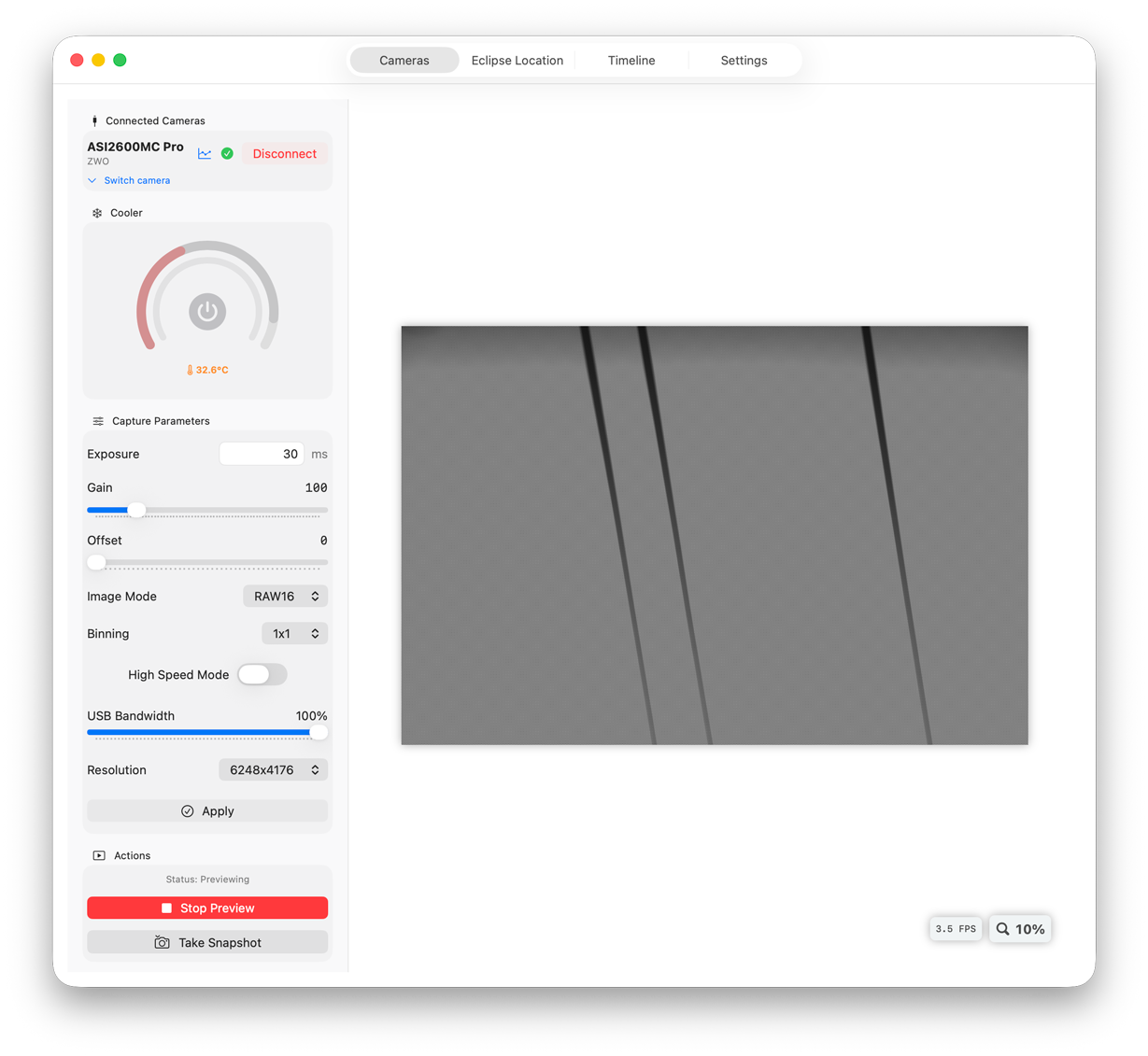
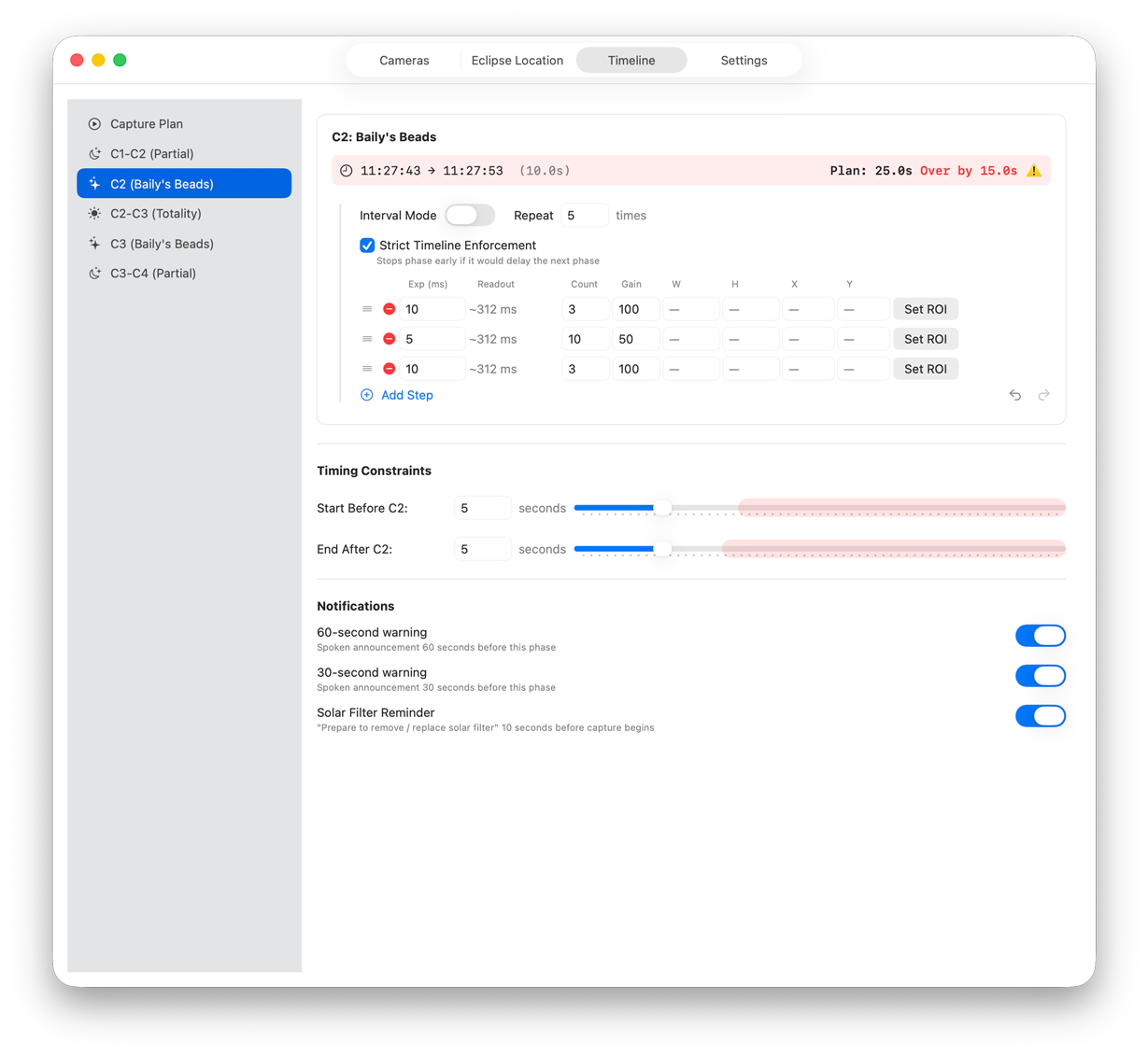
Connect your camera and build exposure sequences for each phase — partiality, Baily's Beads, and totality.
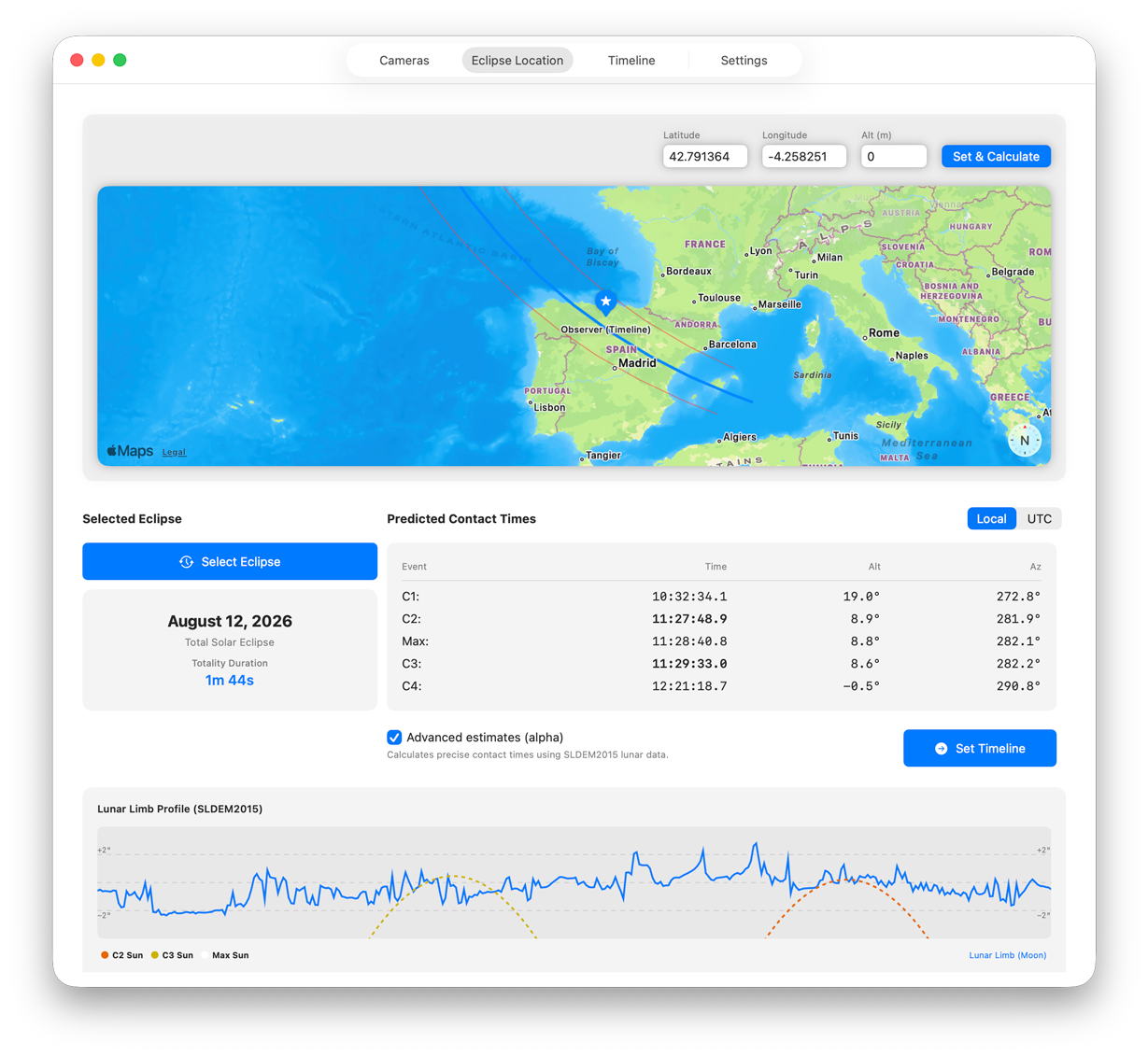
Photality calculates your eclipse contact times from your observing location, then simulates the entire sequence with your real camera — so you can verify everything works before the one day you can't repeat.
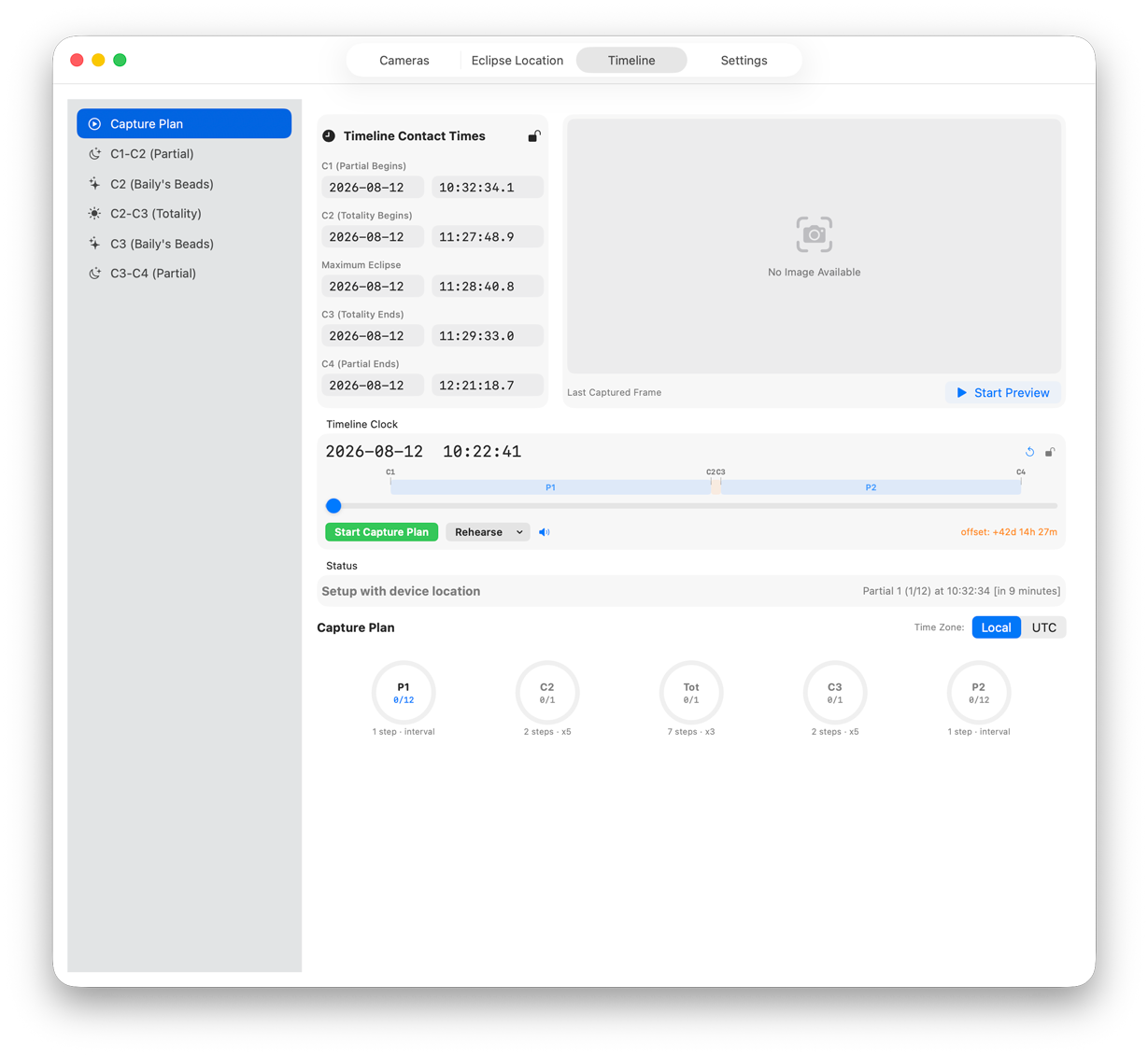
On eclipse day, press Start and step away. Photality executes every exposure on schedule, down to the second.
Independent bracketing options for partial phases, Baily's Beads, and totality — executed automatically at the right moment.
Support for ZWO ASI and Player One Astronomy cameras
Save frames in XISF or FITS format, ready for stacking in PixInsight, Siril, or any standard astrophotography workflow.
Simulate the full eclipse sequence at accelerated speed. Verify your exposure plan and timing before the real thing.
Set a region of interest for close-up Baily's Beads sequences, with automatic ROI switching mid-event.
With an Astroasis Rose electronic focuser, Photality finds best focus for you — a noise-aware search that maps the focus curve and drives to its peak. Save the result and return to it any time, even mid-capture. New in 0.94.
As the air cools toward totality, focus drifts. An experimental mode re-tunes focus in the quiet gaps between partial-phase captures — with hard deadlines so it can never delay your plan. New in 0.94.
Built entirely in Swift and SwiftUI. No Python, no plugins, no drivers to configure. Just open it and connect your camera.
Photality is free for setup, rehearsals, and the eclipse itself. No license, no paywall, and no internet required at your site. If it helped you capture totality, you can leave a tip — entirely optional, never required.
macOS 15.6 or later · Apple Silicon (M1 or later) · ZWO ASI or Player One Astronomy cameras
Native Apple Silicon. Photality is built natively for Apple Silicon — no Rosetta required. An Apple Silicon Mac (M1 or later) running macOS 15.6 or later is required, along with a supported ZWO ASI or Player One camera.